From Idea to Production in 2 Hours: Building a Blog with AI
The idea of building a personal blog sat in my head for over a year. Last night at midnight, I decided to let AI do 95% of the work. Two hours later, the blog was live.
The idea of building a personal blog sat in my head for over a year.
Every time I thought about setting up Astro, configuring Tailwind, writing components, making it responsive… I’d close my laptop and open YouTube. “I’ll do it next week,” I’d tell myself. Next week became next month. Next month became… you get it.
Last night at midnight, I decided to try a completely different approach: Let AI do 95%, I’ll just review.
Two hours later, the blog was live on Vercel.
This isn’t a story about magic. This is a story about a proven workflow for building projects with AI - a workflow anyone can replicate.
The Shift: From Coder to Orchestra Conductor
The traditional way I’d build a blog:
- Research frameworks (1-2 days)
- Setup boilerplate (half a day)
- Write components one by one (2-3 days)
- Styling, responsive design (1-2 days)
- Deploy, fix bugs (1 day)
Total: About a week, if working full-time. Reality would stretch longer with other commitments.
The AI way:
- AI research and suggest tech stack (5 minutes)
- AI writes all code (1.5 hours)
- Human review and adjust (30 minutes)
Total: 2 hours.
The mindset shift here isn’t “AI replaces developers.” The mindset is: Human = Product Manager + Architect, AI = Development Team.
The 2-Hour Timeline: Detailed Workflow
00:00 - Tech Stack Decision
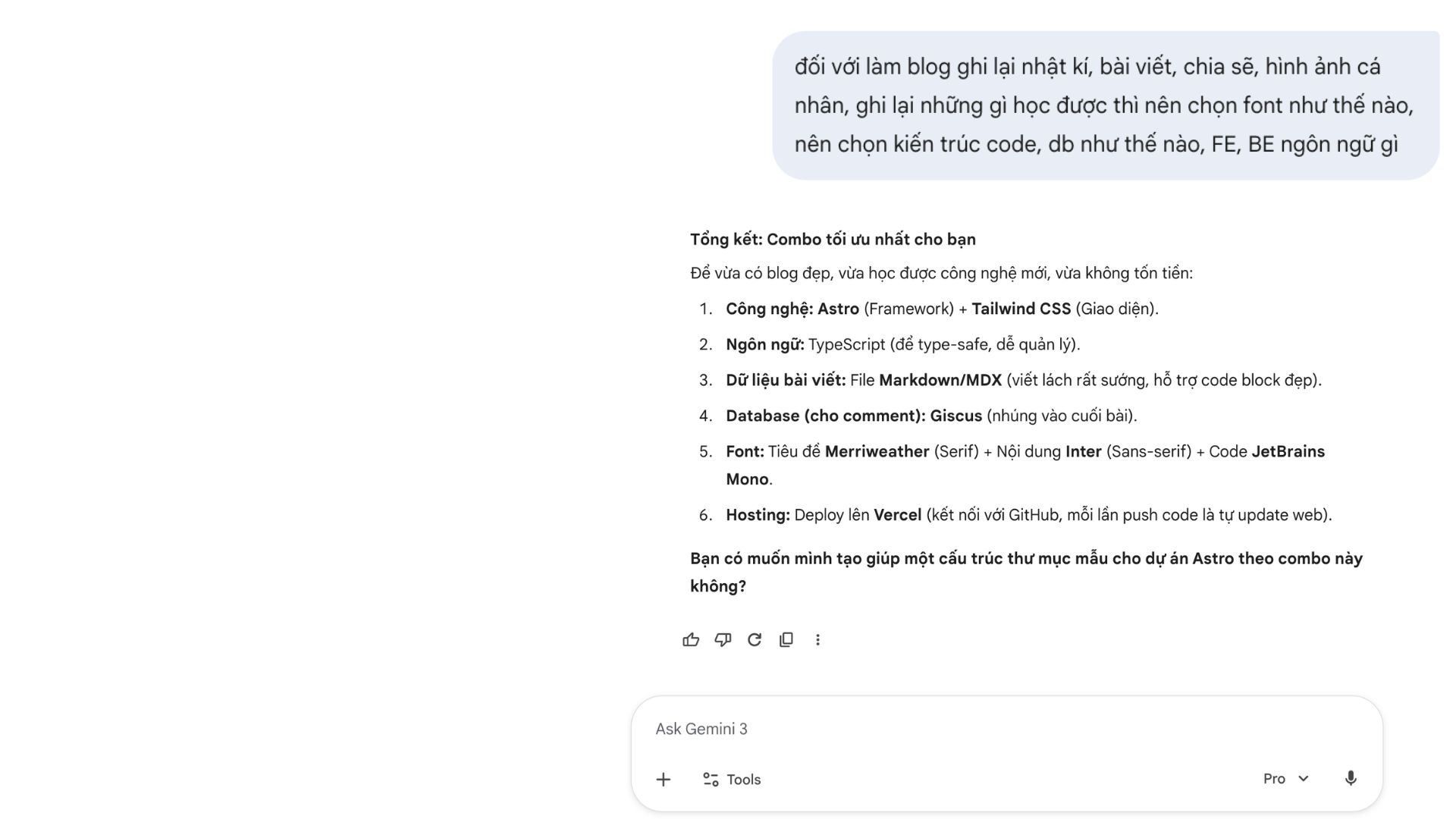
I opened Google Gemini:
“I want to build a personal blog, bilingual (EN/VI), needs to be fast, SEO-friendly, easy to write content. Suggest tech stack?”
Gemini suggested:
- Astro (best SEO, fast SSG)
- Tailwind CSS (rapid styling)
- MDX (write content with React components)
- Vercel (free hosting, zero config)
5 minutes. Done. No need to read 10 blog posts comparing Next vs Astro vs Gatsby.
00:15 - Brainstorming with Claude
I switched to Claude with workspace skills (I had already set up a skills framework - structured prompts).
Using the brainstorming skill:
“I need to build a bilingual blog with Astro. Features needed: dark mode, categories, reading time, language switcher.”
Claude analyzed:
- Bilingual strategy: URL params (
?lang=en) or separate routes? - Content structure: How to link EN/VI posts?
- Components to build:
PostCard,LanguageSwitcher,CategoryBadge - Edge cases: Bilingual 404 page, SEO meta tags for 2 languages
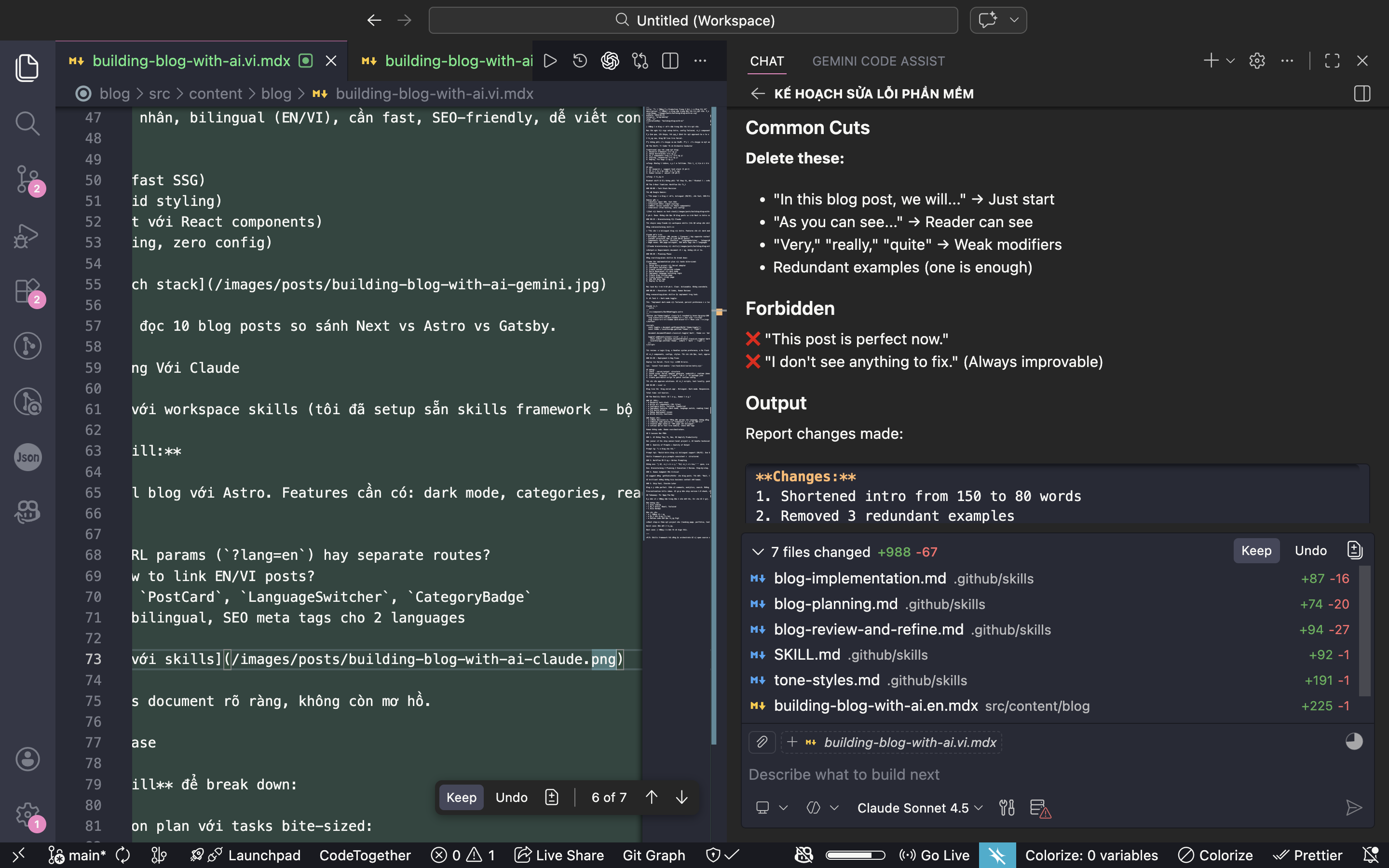
Output: Clear requirements document, no ambiguity.
00:30 - Planning Phase
Using the writing-plans skill to break down:
Claude created an implementation plan with bite-sized tasks:
1. Setup Astro project with Vercel adapter
2. Configure Tailwind + MDX
3. Create content collection schema
4. Build BaseLayout with dark mode
5. Implement language switching logic
6. Create blog listing page
7. Create dynamic [slug] page
8. Add SEO meta tags
9. Deploy to Vercel
Each task estimated at 5-10 minutes. Clear. Actionable. Not overwhelming.
00:45 - Execution: AI Codes, Human Reviews
Using the executing-plans skill to implement each task.
Example Task 4 - Dark mode toggle:
Me: “Implement dark mode with Tailwind, persist preference to localStorage.”
Claude wrote:
---
// src/components/DarkModeToggle.astro
---
<button id="theme-toggle" class="p-2 rounded-lg hover:bg-gray-200 dark:hover:bg-gray-700">
  <svg class="w-5 h-5 dark:hidden"><!-- Sun icon --></svg>
  <svg class="w-5 h-5 hidden dark:block"><!-- Moon icon --></svg>
</button>

<script>
  const toggle = document.getElementById('theme-toggle');
  const theme = localStorage.getItem('theme') || 'light';

  document.documentElement.classList.toggle('dark', theme === 'dark');

  toggle?.addEventListener('click', () => {
    const isDark = document.documentElement.classList.toggle('dark');
    localStorage.setItem('theme', isDark ? 'dark' : 'light');
  });
</script>
My review: ✅ Logic correct, ✅ Handles system preference, ✅ No flash on load. Next task.
AI wrote components, configs, styles. I just needed to read, test, approve. Workflow like code review in a team.
01:30 - Deployment & Bug Fixes
Deployed to Vercel. First try: 500 Error.
Error: Cannot find module '/var/task/dist/server/entry.mjs'
AI debugged:
- Check
.vercel/outputstructure - Found issue: Vercel adapter generates
nodejs24.xruntime (doesn’t exist) - Fix: Add
"engines": { "node": "20.x" }to package.json - Create post-build script to patch runtime config
I just needed to approve solutions. AI wrote scripts, tested locally, pushed again.
02:00 - Live! 🎉
Blog live at blog.vercel.app. Bilingual. Dark mode. Responsive. SEO ready.
Total time: 2 hours.
The Reality Check: What AI Did vs What I Did
AI (95%):
- ✅ Research tech stack
- ✅ Write all components (10+ files)
- ✅ Configure Astro, Tailwind, TypeScript
- ✅ Implement features (dark mode, language switch, reading time)
- ✅ Fix build errors
- ✅ Debug deployment issues
- ✅ Write utility functions
Human (5%):
- ✅ Make decisions: “Use URL params for language, not separate routes”
- ✅ Review code quality: “This component can be more DRY”
- ✅ Catch edge cases: “404 page needs to be bilingual”
- ✅ Final QA: Test on mobile, check SEO tags
Human doesn’t code. Human orchestrates.
5 Lessons Learned
1. AI Doesn’t Replace Devs, It Amplifies Productivity
Junior devs can ship senior-level projects because AI handles technical details. Senior devs can ship 10x faster by focusing on architecture, not wasting time writing boilerplate.
2. Quality of Prompts = Quality of Output
Bad prompt: “Build me a blog.”
Good prompt: “Build Astro blog with bilingual support (EN/VI). Use URL params ?lang= for language switching. MDX for content. Implement reading time calculation. Generate sitemap for SEO.”
Skills framework helps keep prompts consistent and structured.
3. Clear Workflow > Ad-hoc Prompting
Don’t: “Hey AI, write this,” “Now write that,” “Oh wait, fix that.”
Do: Brainstorming → Planning → Execution → Review. Step-by-step. Organized.
4. Human Judgment Still Critical
AI suggested using getStaticPaths for blog posts. I caught it: “Wait, we need SSR for dynamic language switching, not static.”
AI is brilliant but doesn’t understand business context like humans do.
5. Ship Fast, Iterate Later
This blog isn’t perfect. No comments, analytics, or search yet. But it’s already live.
Procrastination kills ideas. AI helps you ship version 1.0 fast, iterate later.
Takeaway: Try It Tonight
If you have an idea sitting in your head for a year like I did, give AI 2 hours.
You don’t need:
- ❌ Strong coding skills
- ❌ Knowledge of Astro, React, Tailwind
- ❌ Understanding of DevOps
You just need:
- ✅ A clear idea
- ✅ Ability to ask the right questions
- ✅ Code review skills (read like English)
Next step: Pick a small project (landing page, portfolio, simple tool). Give AI 2 hours. See what happens.
Worst case: You lose 2 hours.
Best case: Your idea becomes reality.
P/S: The skills framework I used to orchestrate AI will be open source soon. Stay tuned!